Add two shortcuts, once.
One for Apple Pay, one for your bank's SMS alerts. It takes about three minutes in Apple's Shortcuts app, and rilio checks each step as you go.
Every tracker works while you remember. rilio keeps working when you don't: on iPhone, your Apple Pay, UPI and card payments log themselves, even with your phone locked. Slipped for a few weeks? One bank statement catches you up. And no bank login, ever.
About a coffee a month, and a lot less than not knowing.


On a computer? Scan to open rilio on your phone.
7-day free trial · No bank login · Automatic on iPhone · Also on Android
Expense trackers assume you'll remember to log every spend. Nobody does, and that's exactly when they stop working.
Day one, every coffee goes in. Then a busy week, a trip, a payment you never think about again. Nobody quits tracking on purpose. You just forget.
Trackers that log for you start with a “connect your bank” screen. The rest only know what you remember to type. Neither should be the price of knowing where your money went.
A few missing spends and the totals are wrong. A tracker you can't trust is one you stop opening, and the small leaks go back to leaking.
So I built rilio for the days you forget: it logs payments on its own, catches up from a statement, and nudges you when it matters. All without your bank login.
rilio doesn't need you to remember anything. It reads what your iPhone already knows, Apple Pay and your bank's texts, instead of asking for your bank password.
One for Apple Pay, one for your bank's SMS alerts. It takes about three minutes in Apple's Shortcuts app, and rilio checks each step as you go.
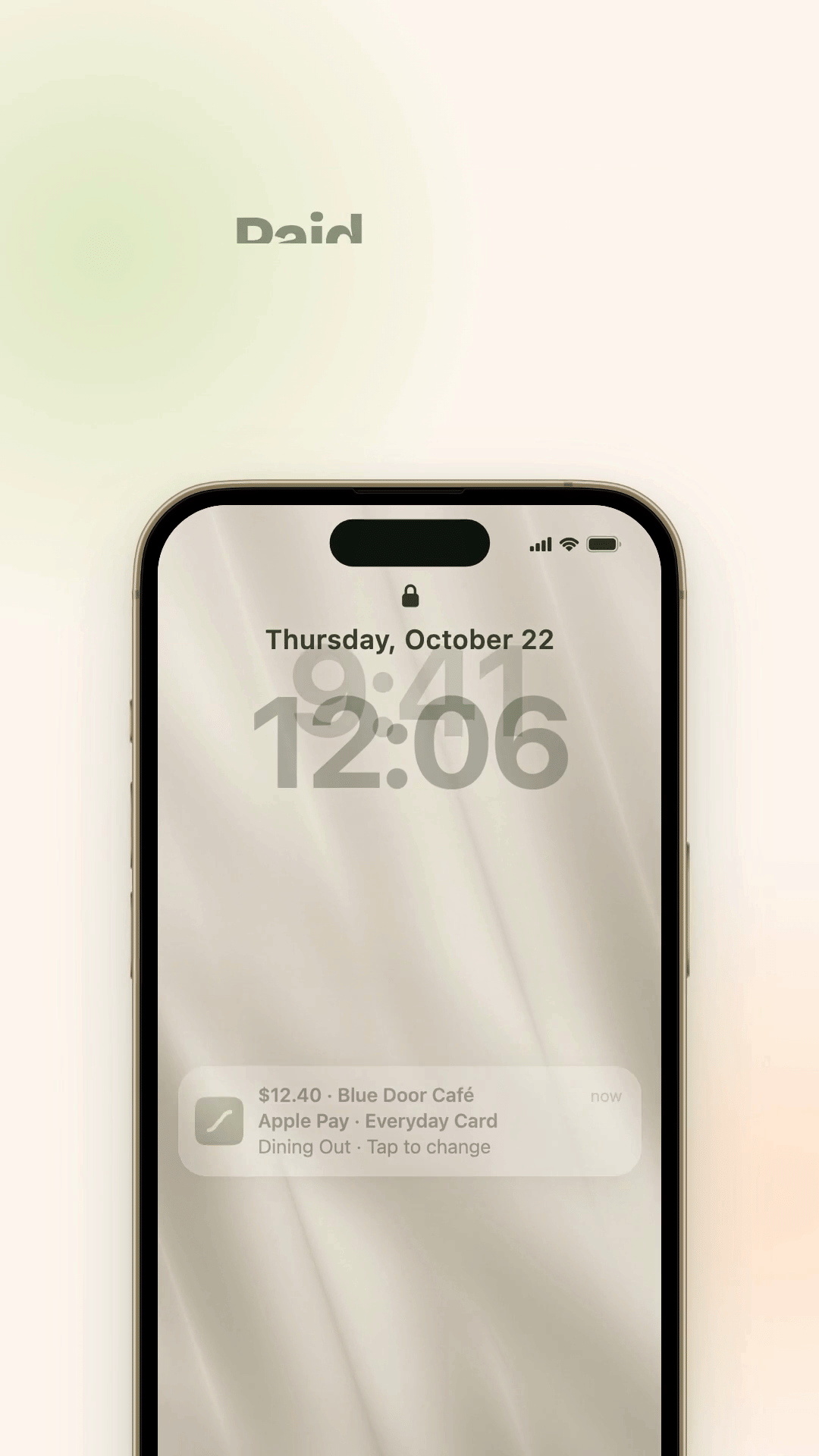
Tap Apple Pay, pay by UPI or card. rilio logs it on its own with the amount, merchant and category, even with your phone locked. No bank login.
A Monday check-in shows how your month is tracking, and rilio warns you before you run low or a bill is due. You never have to remember to look.
Two shortcuts, one for Apple Pay and one for bank SMS. Each is Add Shortcut, then switch on Automation.
On Android, or paid cash? Log it in five seconds by typing or saying it. See how
Apple Pay taps and bank SMS alerts together cover every way you pay, so the spends you'd never remember still land, with the amount, merchant and category. No bank login: rilio only sees what Apple's Shortcuts app hands it.
Pay in a store and rilio saves it on its own: amount, merchant, card and category. No typing, no opening the app, even with your phone locked.
UPI, debit cards, online Apple Pay and money you receive come in from your bank's SMS alerts. rilio links each SMS to its tap, so a payment is never counted twice.
Your numbers live on your Home Screen, Lock Screen and in StandBy, so you see where the month stands without opening anything.
Say it or type it like a text to a friend. Forgot for weeks? Drop in a bank statement and every transaction comes back at once.
Write it the way you’d tell a friend: “spent 12 on lunch”. rilio’s AI pulls out the amount, the place, and the category. No forms, no dropdowns.
On iPhone, there's Back Tap too: tap the back of your phone to start logging in an instant.
“Spent $12 at Chipotle”
“Forty bucks on gas”
Trips, flats, roommates, the group dinner that someone always covers. rilio keeps the running tally so no one has to do the awkward math, or the awkward reminder.
Spin up a shared group with a name and an icon, add up to 50 people, and see it all at a glance: total spend, who paid, and exactly what you owe or you're owed. A gentle fairness hint even nudges whose turn it is to pay next.
Log who paid, pick exactly who's in, then split evenly or enter exact amounts — with live math as you type. Remainders are divided so the balances always reconcile to zero.
rilio simplifies a web of debts into the fewest transfers — three payments become one. Mark cash as paid, or settle by UPI in India: it opens your app prefilled with amount, payee, and memo.
Share a branded link that works on WhatsApp, Telegram, anywhere. Friends who aren't on rilio yet see a preview of the group before they join — or they can paste a code by hand.
Set rent, utilities, or streaming to post themselves — weekly, biweekly, monthly, quarterly, or annually. Pause and resume whenever plans change.
Total spend, average, and the largest expense, broken down by category and by who paid. Export the whole ledger to CSV or PDF when you need the receipts.
Each group is locked to a single currency at creation, so everyone sees the same numbers — no guessing exchange rates, no confusion at settle-up.
Every line below is something the others got wrong, and something I refused to ship in rilio.
| What you get | Other trackers | rilio |
|---|---|---|
| Keeps tracking when you forget, without your bank password | ||
| Log a spend in about five seconds | ||
| AI sorts every transaction for you | ||
| Type, speak or paste anything it can't see | ||
| Never sells your spending to advertisers | ||
| No ads between you and your money | ||
| Costs about a coffee a month, nothing hidden |
I'm not a bank, and I'm not chasing your data. I built rilio because I wanted it myself: a way to see where my money goes without handing my bank login to strangers.
— NikethA little bit about why I built it.
I downloaded 11 expense apps in 2 years. I deleted every single one within a week.
Not because I'm bad with money. Because every one of them made me work just to log a coffee, and the first week I forgot, the numbers were useless.
The closest thing to frictionless I ever found? Apple Notes.
So I built rilio. You log expenses the way you'd text yourself: voice or type, done in seconds. Then I went further: on iPhone, your payments now log themselves, so forgetting doesn't matter.
This is the app I needed, so I built it.
If you like rilio, check out my other project: FeedbackDock.
 NikethDeveloper
Three minutes of setup on iPhone and your payments log themselves from then on, whether you remember or not. Free for 7 days, then $4.99 a month if it earns its place.
